A Markdown editor with a terminal for AI
Nib is a Markdown editor for Windows with a terminal built into the window. Write and edit your documents in clean blocks, then put an AI agent to work on them right where they live - no copy-paste between a chat tab and your files.
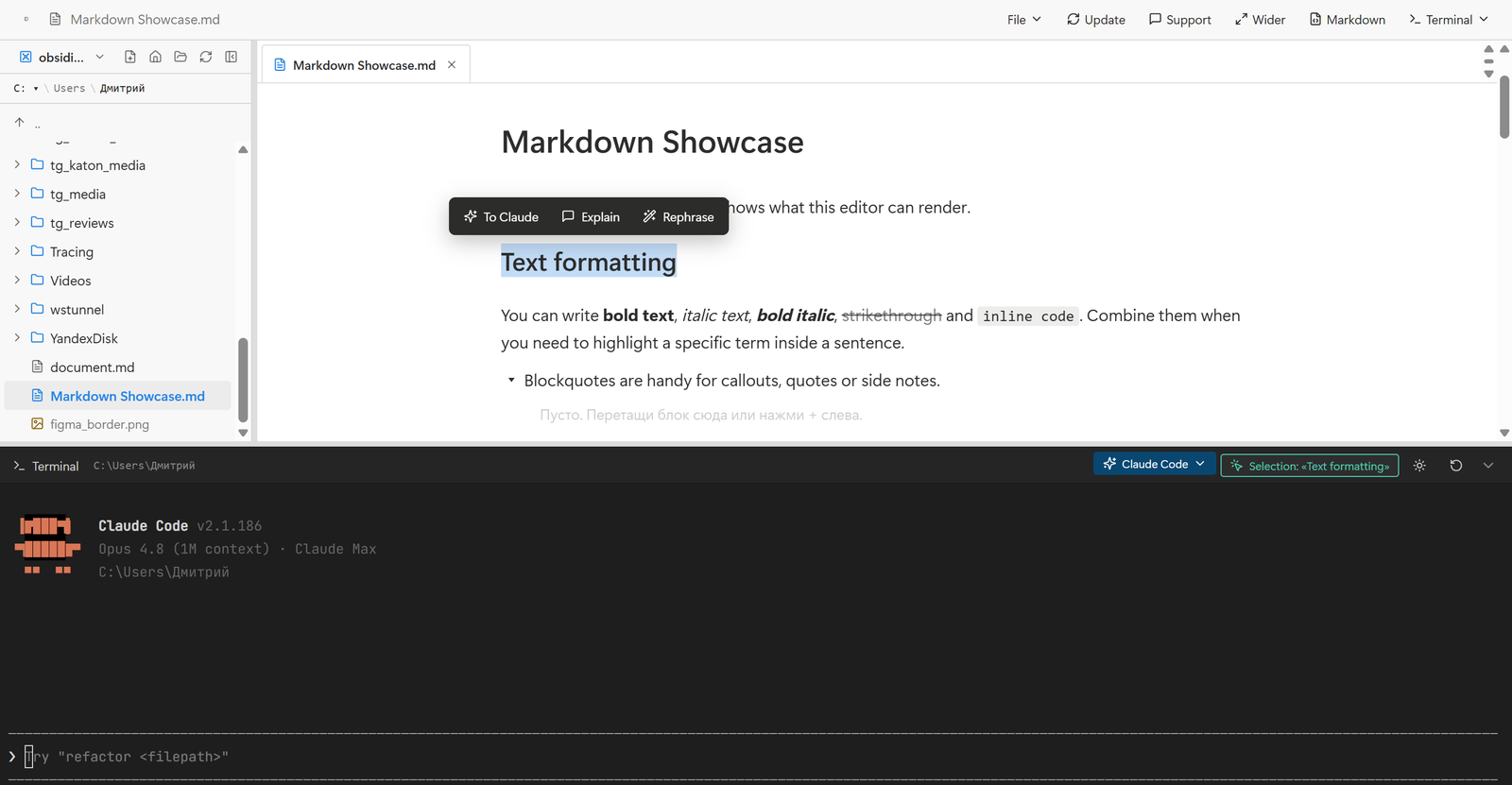
Select a line, hit To Claude, and the agent in the terminal below already knows what you picked and which file it lives in.
Edit and process documents in one window
- Block Markdown editor. Headings, lists, to-dos, quotes, callouts, toggles, tables, code - all saved as plain Markdown files you can read anywhere.
- Terminal docked in the app. PowerShell or cmd plus Claude Code, running against the same folder you're editing. Ask it to rewrite, summarize, translate or restructure a whole file.
- Selection-aware AI. Highlight text and the terminal sees it - "rephrase this", "explain this", "turn this into a table" act on exactly what you picked, in place.
- One inline menu. To Claude, Explain, Rephrase pop up over any selection for quick edits without typing a command.
- Local and offline. Your files live in a normal folder on your disk. No account, no sync, nothing leaves your machine unless you send it to the AI.
Free to try - the first 100 launches are free. After that a $30 yearly subscription keeps the app running and updated. When it lapses, the editor locks until you renew. Your files are unaffected: they stay plain Markdown on your disk and open in anything.
How to install
- Click Download for Windows and run the
nib_..._x64-setup.exe. - If Windows SmartScreen shows a warning, click More info - Run anyway (the app is new, so Windows hasn't built up a reputation yet).
- Follow the installer and open Nib.
Updating
Nib checks for updates on its own - click Update inside the app when a new version is available. You can also re-download the newest installer from this page.